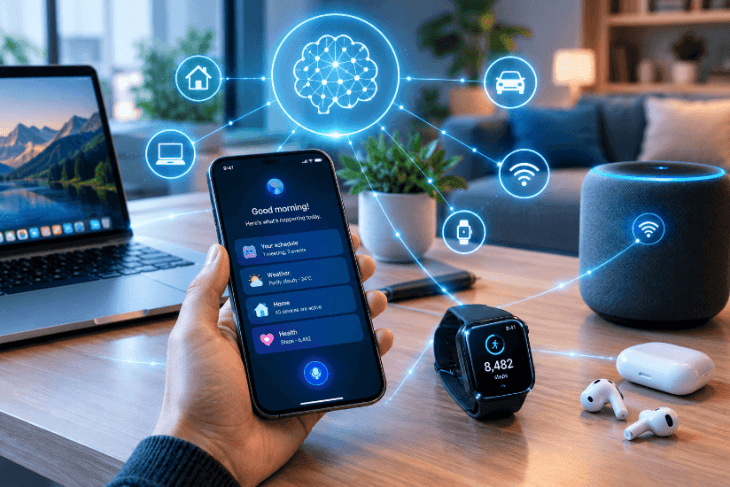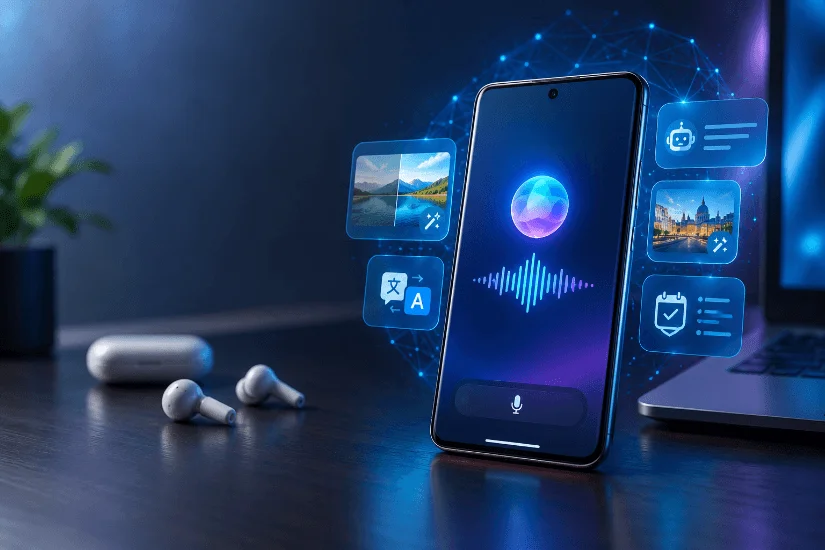
Smartphone brands are making artificial intelligence a major selling point, but are AI smartphones finally worth buying in 2027? They can be, especially if On-Device AI helps you complete everyday tasks faster, improve photos, translate conversations, or manage work more efficiently. However, paying extra for AI does not automatically make a phone better.
AI-powered smartphones combine compatible hardware with software that can help users write messages, summarize information, edit images, and interact with digital assistants. Some tasks run directly on the phone, while others rely on cloud-based AI services. The experience depends on the device, software, internet connection, and features available in your region.
Before upgrading, look beyond marketing claims. A phone with impressive AI capabilities may still be a poor purchase if its battery life, camera quality, software support, or price does not meet your needs.
This guide explains what On-Device AI does, which AI features in smartphones are genuinely useful, how leading platforms compare, and what to check before spending money on an upgrade.
What Is an AI Smartphone, and How Is It Different From a Regular Phone?
An AI smartphone uses artificial intelligence to improve tasks such as writing, photography, translation, voice assistance, and information search. Unlike a traditional smartphone that relies mainly on conventional apps and manual controls, an AI-powered device can use machine learning models to automate certain tasks and respond more intelligently to user requests.
However, the term AI smartphone covers a wide range of devices. Some phones offer basic AI-assisted camera features, while others support more advanced models that can process information locally or interact with compatible apps.
What Makes a Smartphone an AI Phone?
Many modern smartphones include a neural processing unit (NPU) or other hardware designed to accelerate AI workloads. Combined with a compatible processor, memory, and software, this hardware can run selected AI models more efficiently.
Depending on the device, features may include photo enhancement, voice transcription, message suggestions, document summaries, and translation.
Still, having an AI-capable chip does not mean every AI feature runs directly on the device. Some functions need an internet connection or a remote server. Others may be limited to certain models, languages, or software versions.
The important question is not whether a phone has AI, but whether its AI features offer practical benefits for your daily routine.
Can a Regular Smartphone Use AI Features Too?
Yes. Many existing smartphones can use AI assistant apps such as ChatGPT and Google Gemini without requiring a new device.
These apps can help draft emails, summarize long text, explain unfamiliar topics, translate messages, and brainstorm ideas. Some phones also include AI-assisted search, voice typing, and photo editing.
The difference is often integration. Built-in AI may work directly with supported phone functions, while standalone apps usually operate through their own interfaces. Certain advanced features also require newer hardware or specific operating system versions.
If your current phone already handles the tasks you need, installing an AI app may be a more affordable starting point than buying a new device.
What Is On-Device AI in Smartphones, and Why Does It Matter in 2027?
On-Device AI allows a smartphone to process supported AI tasks using its own hardware rather than sending every request to a remote server. This can reduce network delays, support offline functionality, and limit the information sent to external services.
However, these benefits depend on how the manufacturer implements each feature.
How Does On-Device AI Work?
When you use On-Device AI, your smartphone runs a compatible AI model locally. The processor, memory, and supporting software work together to complete the task.
For example, a compatible phone may transcribe a recording, process a voice command, or summarize stored information without sending the entire request to a cloud service.
Cloud-based AI works differently. Your request is sent to remote servers, where more powerful models may process complex instructions. The response is then returned to your phone.
Many AI smartphones use a combination of both approaches. Simple or privacy-sensitive tasks may run locally, while more demanding requests rely on cloud computing.
On-Device AI vs. Cloud AI: Which Is Better?
Neither approach is always better. Each has advantages and limitations.
| Feature | On-Device AI | Cloud AI |
| Privacy | Can keep supported processing on your phone | May send prompts or files to remote servers |
| Speed | Can avoid network delays | Response time depends partly on connectivity |
| Internet | Some features work offline | Usually requires internet access |
| Capability | Limited by device hardware and model size | Can access larger models and greater computing resources |
| Battery | Intensive tasks can increase local power use | Network activity and local processing also consume power |
| Availability | Depends on hardware and installed models | Depends on the service, account, and connection |
Can On-Device AI Work Without the Internet?
Yes, some AI features work offline when their models and required resources are installed on the phone. However, cloud-dependent features still need an internet connection.
Before buying a phone, check which tasks work offline. Do not assume that every feature described as AI-powered can function without mobile data or Wi-Fi.
Is On-Device AI safer than cloud AI? It can reduce privacy risks by keeping certain information on your device, but local processing does not guarantee complete protection. App permissions, software security, storage practices, and operating system updates also matter.
Which AI Features in Smartphones Are Genuinely Useful?
The best AI features in smartphones are the ones that save time, reduce effort, or help you complete tasks more effectively. Instead of choosing a device because it advertises dozens of AI tools, focus on the features you expect to use regularly.
AI Writing, Summaries, and Productivity
AI writing tools can draft emails, rewrite messages, summarize documents, and turn notes into action items.
Students can use them to review study material, professionals can summarize lengthy reports, and small business owners can prepare customer replies. Marketers and content creators can also brainstorm ideas and develop social media captions.
These features are useful when they reduce repetitive work without replacing your judgment. Always verify facts, names, figures, and important details before sharing AI-generated content.
AI Photography and Video Editing
AI photo editing can remove unwanted objects, improve lighting, adjust backgrounds, and enhance image quality. Some smartphones also include video editing tools and audio cleanup features that reduce background noise.
These tools can help content creators prepare images more quickly. However, generative editing may alter details or introduce elements that were not present in the original photograph.
Check edited images carefully before using them in product listings, professional reports, news coverage, or other situations where accuracy matters.
Live Translation, Transcription, and Call Assistance
Supported smartphones can translate speech, convert recordings into text, summarize selected conversations, and assist with unwanted calls.
These features can be useful during meetings, travel, interviews, and customer conversations. However, supported languages and regional availability vary.
Samsung’s official Galaxy AI support guide explains that compatibility and available features depend on the phone model and software version.
If call assistance is important to you, check whether the exact device supports the required language and whether the feature is available in your country.
Voice Assistants and Actions Across Apps
An AI assistant for Android can answer questions, help with writing, set reminders, and interact with supported apps. Some assistants can also complete selected actions through voice or text commands.
For example, you might ask an assistant to draft a message or find information about a topic. More advanced actions depend on app integrations, account permissions, and device compatibility.
Review important actions before allowing an assistant to send messages, share files, or modify settings. AI assistants can misunderstand instructions, so confirmation is especially important when an action affects other people or your personal information.
Visual Search and Accessibility
Visual search lets you use your camera or an image to ask questions about an object, identify details, or find related information.
Speech-to-text can convert spoken words into written notes, while text-to-speech can read content aloud. These tools may help people who have difficulty typing, reading small text, or interacting with conventional phone controls.
To decide whether a feature is worth paying for, consider four factors: how often you need it, how much time it saves, how reliably it works, and whether your current phone already offers a similar function.
If a feature performs well in all four areas, it may provide meaningful value.
Are AI Smartphones Worth the Extra Money in 2027?
AI smartphones can be worth buying in 2027, but the decision depends on your daily needs, budget, and current device. A higher price does not automatically mean a better phone or a better user experience.
When Paying More for AI Makes Sense
An AI smartphone may justify its price if you regularly transcribe meetings, translate conversations, edit photos, summarize documents, or use AI tools to manage work.
For example, a small business owner who prepares customer responses throughout the day may benefit from integrated writing tools. A content creator who frequently edits photos and cleans up audio may appreciate features that reduce editing time.
The key is regular use. If the built-in tools help you complete tasks faster or reduce the need for several separate apps, the extra cost may be reasonable.
When an AI Smartphone Is Not Worth Buying
If your current phone handles calls, messages, browsing, social media, and photography well, you may not need a new device just for AI.
Casual users can often get sufficient value from AI apps installed on their existing phones. AI smartphone disadvantages can include higher purchase prices, limited regional availability, battery use during demanding tasks, and subscriptions for selected features.
You should also consider the possibility that an advertised feature may not work in your preferred language or may require a particular account.
How to Calculate Whether an AI Phone Is Worth It
Start by listing the AI features you expect to use and estimating how often you will use them. Consider how much time they could save each week and compare that benefit with the additional cost over your planned ownership period.
Include subscriptions, storage requirements, and other recurring expenses.
For example, if upgrading costs $300 more than buying a phone without the features you want, and you plan to keep the device for three years, the extra cost works out to approximately $8.33 per month before subscriptions.
Ask yourself whether the features you will actually use justify that amount.
| Worth buying if… | Probably not worth it if… |
| You use AI tools several times a week | You rarely use AI |
| Built-in features save you meaningful time | Your current phone already meets your needs |
| You need specific on-device capabilities | Existing apps already handle your tasks |
| The phone also offers good battery life and support | You are paying mainly for the AI label |
My recommendation is to compare AI features with the phone’s total cost and overall quality. If AI is the only major improvement, waiting for a better deal may be the smarter choice.
What Are the Biggest Drawbacks of AI Smartphones?
The main disadvantages of AI smartphones include privacy concerns, possible battery drain, paid features, and inaccurate results. Some tools also depend on an internet connection, a supported language, or newer hardware.
Understanding these limitations can help you make a more informed buying decision.
Privacy, Permissions, and Sensitive Information
AI smartphone privacy risks depend on how each feature processes and stores information.
On-device AI can handle certain requests locally, while cloud-based services may transmit prompts, images, recordings, or other information to remote servers. Data handling policies vary between manufacturers and applications.
Before using AI with private documents, financial records, or customer information, review the relevant privacy policies and settings. Check permissions for the microphone, camera, contacts, and files.
Local processing can reduce data sharing, but it does not guarantee complete privacy.
Battery Drain, Heat, and Performance
AI tasks can require additional processing power, potentially increasing battery use or causing the phone to become warm.
Running demanding models, editing many images, or using AI features for extended periods may have a greater impact than simple requests. However, AI does not always cause significant battery drain. The effect depends on the hardware, task, software optimization, and processing method.
Look for independent battery tests of the exact phone you are considering rather than assuming that an AI-capable device will have poor battery life.
Subscriptions and Usage Limits
Some AI features are included with the phone, while others require a subscription, an account, or access to a particular service.
Free access may include usage limits, and the terms for advanced features can change. Check which tools are included in the purchase price and which may cost extra over time.
AI Errors and Generated Content
AI assistants can misunderstand questions, invent facts, produce inaccurate summaries, or mistranslate information. Image tools may also change important details.
Treat AI-generated results as a starting point rather than a final authority. Verify medical, legal, financial, academic, and business-critical information with trusted sources before acting on it.
Which AI Smartphone Brands and Platforms Should You Compare in 2027?
The best AI smartphone for you depends on your budget, preferred operating system, and the features you need. Samsung, Google, and Apple offer different AI experiences, but capabilities vary by model, software version, language, and region.
Samsung Galaxy AI and Gemini
Samsung Galaxy AI provides AI features across compatible Galaxy devices, including selected writing tools, translation, transcription, and image editing. Google Gemini offers conversational assistance and can connect with supported apps and services.
If you are considering a Galaxy S26 AI phone, check the official specifications for the exact model. Do not assume that every Galaxy phone offers the same AI capabilities.
Some functions may require an internet connection, a Samsung or Google account, or a software update. Certain enhanced features may also have separate terms or fees.
Google Pixel and Gemini
Google Pixel phones integrate Google’s AI services with selected camera, voice, and software features. Compatible models may also support AI processing directly on the device.
According to Google’s official Gemini guide for Pixel phones, Gemini can help with writing, translation, questions about images, and summarizing information. Availability and capabilities depend on the device and service.
The Gemini app is also available on many other compatible Android phones, so you do not necessarily need a Pixel to use Google’s AI assistant.
Apple Intelligence and Compatible iPhones
Apple Intelligence provides AI features across supported Apple devices, including writing assistance, image tools, summaries, and selected system functions.
However, not every iPhone supports Apple Intelligence. Compatibility, storage requirements, language support, and regional availability can vary.
Before upgrading, check Apple’s official Apple Intelligence requirements to confirm whether your current or prospective device supports the features you want.
What Should You Compare Before Choosing a Model?
Use this checklist when comparing the best AI smartphones in 2027:
- Features: Does the exact model support the tools you need?
- Processing: Does it use On-Device AI, cloud AI, or both?
- Language and region: Are the features available in your country and preferred language?
- Hardware: Does it have sufficient memory, storage, and processing power?
- Updates: How long will it receive software and security updates?
- Extra costs: Do you need a subscription or account?
- Overall value: Are the camera, battery, performance, and price competitive?
Do not choose a phone based on its AI brand name alone. Compare the features available on the exact model you intend to buy, then weigh them against the phone’s price and expected lifespan.
Can You Use AI on Your Current Phone Instead of Upgrading?
Yes. Many existing smartphones support AI assistant apps, so buying a new device is not always necessary.
Before spending money on an upgrade, try the tools available on your current phone and see whether they handle your everyday tasks.
How Do I Use AI on My Phone?
If you are wondering how to use AI on your phone, start by installing a compatible assistant app or opening the AI tools already available on your device.
Try asking it to summarize a long message, rewrite an email, explain an unfamiliar topic, or translate text. Review the results for errors and check whether the feature needs an internet connection.
You can also test the AI tools available in your phone’s camera, keyboard, voice recorder, and search features.
Review app permissions and privacy settings before sharing sensitive information.
Which AI Tasks Can Older Android Phones Handle?
Many older Android phones can run compatible apps for writing, research, translation, and everyday questions.
However, running AI models directly on the phone or using advanced system features may require newer hardware, more memory, or a supported operating system.
The distinction matters because installing an AI assistant does not automatically give an older phone access to every feature offered by a newer flagship.
Is an AI Assistant for Android Enough?
A standalone assistant may be enough for occasional questions, writing help, and research. Built-in AI can offer closer integration with supported calls, photos, and other system functions.
My practical advice is to test AI apps on your current phone for a week. If they handle your daily tasks well, you may not need to upgrade. Consider buying a new device when you need specific features your phone cannot support or when its battery, camera, or performance also needs improvement.
What Should You Check Before Buying an AI Smartphone in 2027?
Before purchasing an AI smartphone, check whether its features match your needs, whether your current device can do the same tasks, and what the phone will cost over time.
Hardware, Battery, and Storage
Check the processor, RAM, storage capacity, battery life, and heat management. Some AI features need more memory or a newer chipset to run directly on the phone.
Choose enough storage for your apps, photos, videos, and any downloadable AI models. More powerful hardware can help, but real-world performance also depends on software optimization.
Privacy, Updates, and Feature Availability
Find out which AI tasks run locally and which use cloud services. Check the manufacturer’s software update policy, language support, internet requirements, and account rules.
Advanced features may be limited by the device, country, language, or software version. Confirm these details before paying extra for a particular feature.
Your AI Smartphone Buying Checklist
Before making a purchase, ask yourself:
- Will I use at least two or three AI features every week?
- Can my current phone already handle these tasks?
- Which features work on-device, and which need the cloud?
- Are the features available in my country and preferred language?
- Will I need a paid subscription?
- Does the phone offer the battery life, camera, and performance I need?
- How long will it receive software updates?
A phone that fits your needs and budget is a better choice than one with more AI features you may never use.
What Could Change About AI Smartphones by the End of 2027?
AI smartphones may become more useful by the end of 2027, but the pace of progress will depend on hardware, software updates, privacy requirements, and real-world performance.
From AI Assistants to AI Agents
AI assistants can already answer questions, write messages, and summarize information. Future developments may allow them to handle more steps across supported apps, such as preparing a message and suggesting a calendar event.
These actions will still depend on app support and permissions. Important tasks should require clear approval before the assistant sends messages, shares information, or spends money.
More Local Processing and Personalization
Smaller and more efficient AI models could allow phones to handle more tasks without an internet connection.
Assistants may also become better at using preferences and recent activity to provide relevant help. However, personalization can involve access to private information, such as calendars, messages, or location data. Users should have control over these permissions.
Will AI Smartphone Features Become Paid Services?
Some AI tools already have free and paid access levels. More advanced services could introduce usage limits or subscription fees, but future pricing will depend on individual companies and features.
On-device processing, cloud AI, and AI assistants already exist. More capable agents and wider local processing are possible developments, not guaranteed outcomes by the end of 2027.
Frequently Asked Questions About AI Smartphones in 2027
1. Are AI smartphones worth buying in 2027?
AI smartphones can be worth buying if their features help with tasks you perform regularly, such as writing, translation, photography, or work. If your current phone meets your needs and existing apps already do what you want, upgrading just for AI may not justify the cost.
2. What is On-Device AI on a smartphone?
On-Device AI processes supported tasks directly on your phone rather than relying entirely on remote servers. This can reduce network delays and allow selected features to work offline. Other AI features may still depend on cloud services.
3. Can I use AI on my phone without buying a new smartphone?
Yes. Many existing smartphones support AI assistant apps for writing, research, translation, and summaries. However, advanced features that integrate directly with calls, cameras, or other system functions may require newer hardware or software.
4. Is On-Device AI safer than cloud AI?
On-Device AI can reduce the amount of personal information sent to external servers. However, it does not guarantee complete privacy. App permissions, device security, software updates, and data storage practices also affect how your information is handled.
5. Do AI smartphones require a monthly subscription?
No. Some AI features are included with the phone, while others require subscriptions or have usage limits. Check the current pricing and terms for your chosen phone and AI service before buying.
6. Which AI features are most useful on a smartphone?
Useful features include writing assistance, photo editing, translation, voice transcription, summaries, visual search, and accessibility tools. The best options depend on your needs, the reliability of each feature, and whether it involves extra costs.
7. Can AI smartphone features work offline?
Yes, some features work offline when the required model and resources are stored on the phone. Others require an internet connection to access cloud-based AI. Check the offline support for each feature.
8. Is Samsung Galaxy AI worth it?
Samsung Galaxy AI may be useful if you regularly need its supported writing tools, translation, transcription, or photo editing features. Check compatibility with your exact Galaxy model and availability in your region before deciding whether the features justify the price.
9. What is the difference between Galaxy AI and ChatGPT?
Galaxy AI is Samsung’s collection of AI features integrated into compatible devices. ChatGPT is a conversational AI service that helps with questions, writing, research, and other tasks. Their capabilities overlap, but their integrations, device requirements, and supported features differ.
10. How do I use an AI assistant on Android?
Install a compatible assistant app, such as ChatGPT or Google Gemini, or use your phone’s built-in assistant. Start with a simple task, review the response, check app permissions, and avoid sharing sensitive information unnecessarily.
Final Verdict: Should You Buy an AI Smartphone in 2027?
An AI smartphone is worth buying in 2027 if its features solve problems you face regularly. If you often use AI for writing, translation, photo editing, or work tasks, a compatible phone could save time and simplify everyday activities.
However, the AI label alone is not a reason to upgrade. Consider the camera, battery life, performance, software support, privacy options, and total cost. If your current phone runs well and AI apps already handle your daily tasks, you can probably wait.
Before spending money, compare your current phone against the buying checklist in this guide. Explore more AI and smartphone guides on Techno Blazze to learn about available tools and make a more informed upgrade decision.
My advice: Buy an AI smartphone for the features you will actually use, not for the AI label alone. If the benefits justify the cost and the phone meets your other needs, upgrading may make sense. Otherwise, keeping your current device could be the smarter choice.